


Alter
NexusAi Summary: Alter is a native macOS AI assistant that turns voice and screen context into actions. It controls apps, auto-inserts results, records meetings with speaker ID, chats with websites, and runs cloud or local models—privacy-first automation for power users and teams.

NexusAi Overview
Speak a task, reference what’s on screen, and let Alter act. It reads current app and content context, selects the right model, generates output, then auto‑inserts text or triggers native actions in the target app—eliminating copy‑paste and context switching.
Capabilities and Workflow
Alter fits Mac power users, engineers, researchers, product managers, and founders who want hands‑free execution without learning new interfaces. It’s valuable for meeting‑heavy roles in sales, success, and leadership that need reliable transcripts and summaries. Privacy‑sensitive teams in healthcare, finance, and legal can route workloads to local models to keep data on device. If your day spans Notes, Keynote, browsers, and email, Alter reduces friction by acting directly where work happens.
- Understands screen and app context to execute accurate, multi-step Mac automations.
- Auto-inserts AI outputs directly into any app without copying or switching.
- Records meetings with fast transcripts, speaker identification, and optional offline processing.
- Routes tasks across 50+ models or runs locally via Ollama and LM Studio.
- Triggers workflows through Shortcuts and webhooks, integrating 2,000+ external services.
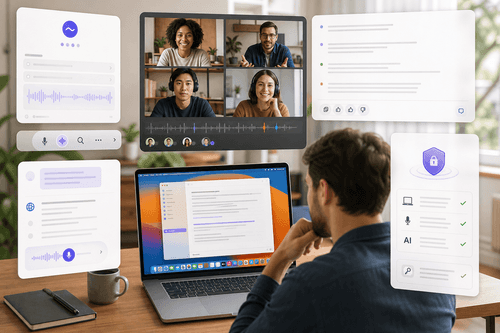
Why it stands out
Who should use Alter
Install Alter on macOS 14+ (Intel or Apple Silicon) and grant Accessibility, Screen Recording, and Microphone permissions so it can read context, control apps, and capture meetings. Start with the 7‑day trial, then connect your own API keys or keep using Alter’s integrated catalog. You can also point Alter at OpenAI‑compatible routers. For offline or private inference, install Ollama or LM Studio and select local models in settings. Enable Shortcuts to orchestrate cross‑app automations and webhooks to reach external services. Explore 80+ built‑in actions, refine them to your workflow, and follow the docs and Discord community for examples and troubleshooting.
NexusAi: Feels native to macOS—faster than chatbots and finally practical for daily work.
Getting Started
Where classic chat apps stop at answers, Alter executes. Its combination of real screen context, native macOS control, automatic model selection, and optional on‑device inference delivers fast, trustworthy outcomes. With universal app reach and automation hooks, it scales from solo productivity to team playbooks—without sacrificing privacy or speed.
Open the tool and review its core product experience.
Create your account or access your existing workspace.
Use your own task to judge speed, quality, and fit.
Check similar AI tools before making a final decision.

Alter
Alter is built by a macOS‑first team focused on voice interfaces, native automation, and privacy‑preserving AI. The company ships frequent updates, maintains comprehensive guides, and supports an open model strategy—mixing top commercial APIs with local engines—to give users speed, control, and data ownership.
Alter is a voice‑first AI layer for macOS that understands what’s on your screen and the app you’re using, then executes multi‑step tasks in place. It integrates deeply with native macOS actions to auto‑insert text, control apps like Notes, Calendar, iMessage, and Keynote, and drive workflows without copy‑paste. A built‑in meeting recorder provides fast transcripts, speaker identification, and offline options when paired with local models. Alter routes prompts across 50+ models and can run fully locally via Ollama or LM Studio for privacy. It also connects to 2,000+ services through Shortcuts and webhooks, and can turn any webpage into a chat surface for extraction and research. Designed for speed, responses arrive 2–3× faster than typical chat apps in independent benchmarks. Security is privacy‑first: prompts are encrypted, no training on your data, and analytics are optional. For technical users, Alter becomes a command palette you can speak to; for teams, it standardizes repeatable automations across Mac work.
Visit Alter
Comments (0)
No Comments Found