


Aqua Voice
NexusAi Summary: Aqua Voice is a real-time dictation app for Mac and iOS that turns speech into clean, context-aware text across any app. It understands developer syntax, preserves intent, and applies style rules, with custom dictionaries, privacy mode, and admin controls for teams.

NexusAi Overview
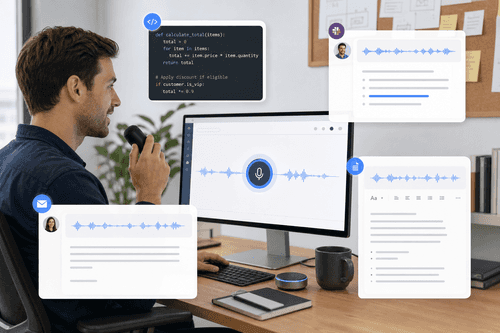
Open Aqua, hold Space to speak, and watch text appear in the target field. Phrases are corrected as you talk; punctuation, casing, and structure update live. When you release, the draft lands polished—ready to send in Slack, email, documents, or IDEs.
Capabilities and Performance
Engineers and prompt builders use Aqua to draft code comments, commit messages, issues, and prompts without breaking focus. Product managers and operators turn status notes into concise updates for Slack and email. Writers and executives dictate long-form content that arrives structured and readable. Teams standardize voice input across Macs and iOS devices, improving speed for users with heavy messaging workloads or RSI constraints. Because Aqua works in any app, it fits into existing IDEs, documentation tools, and ticketing systems with zero migration.
- Push-to-talk dictation types into any app with live grammar and punctuation.
- Avalon model captures developer syntax, libraries, and product names accurately.
- On-screen context guides word choice, casing, and formatting for each draft.
- Custom dictionaries and instruction presets enforce style and terminology consistently.
- Privacy Mode disables storage; teams enforce policies with centralized administration.
Common Uses
Editor’s Note
Install the Mac or iOS app, sign in, and grant microphone access. Choose a global push-to-talk key (Space by default) and test dictation in your editor or messenger. Set default style instructions—punctuation, casing, paragraph rules—and add company names or jargon to the custom dictionary. Enable Privacy Mode when needed to keep transcripts off servers; otherwise, use History to revise or reuse text. For teams, invite users, configure shared dictionaries, and enforce privacy settings from admin controls. Enterprises can connect SSO and SCIM for provisioning. An API is available for integrating Aqua into internal workflows.
NexusAi: Dictate at the speed of thought; Aqua cleans, formats, and delivers production-ready text.
Getting Started
Aqua Voice compresses dictation, formatting, and polishing into one continuous flow. Its technical vocabulary coverage, screen-aware hints, and team policy controls separate it from generic speech engines. If you write prompts, code notes, updates, or long documents daily, Aqua delivers measurable speedups without changing tools or compromising privacy.
Open the tool and review its core product experience.
Create your account or access your existing workspace.
Use your own task to judge speed, quality, and fit.
Check similar AI tools before making a final decision.
Aqua Voice
Aqua is a YC W24 team focused on high-accuracy, low-latency voice input for work. The company builds the Avalon speech model and cross-platform apps that respect privacy, handle technical language, and fit into everyday tools used by developers and professionals.
Aqua Voice is a fast, accurate speech-to-text app built for everyday writing and developer workflows. Press and hold a push-to-talk hotkey to dictate anywhere; Aqua types into whatever app you’re using and refines wording as you speak. Its proprietary Avalon model is tuned for technical language, capturing code syntax, framework names, and product terms precisely. On-screen context helps disambiguate tokens so dictation fits what you’re working on. Users can define custom dictionaries and instruction presets to enforce tone, casing, and formatting. Real-time processing cleans grammar and punctuation without lag, and a private transcript history makes edits easy. Aqua supports 49 languages, a Privacy Mode that stores nothing, and team features for centralized billing, shared policies, and enterprise SSO/SCIM. The result is five-times-faster composition than typing, with fewer edits and more consistent output in prompts, documents, email, and chat.
Visit Aqua Voice
Comments (0)
No Comments Found