


character.ai
NexusAi Summary: Character AI is a browser-based platform for creating persistent, tunable conversational personas driven by large language models. It enables rapid dialogue prototyping, iterative persona refinement, and running realistic chat scenarios for research and product validation.
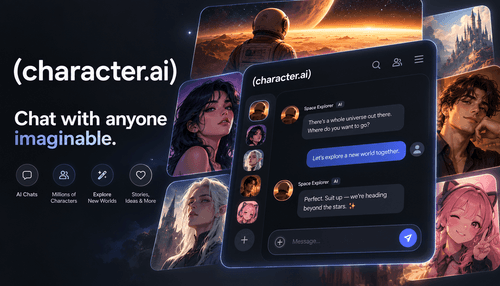
NexusAi Overview
Workflows center on a simple create-test-refine loop: author a persona, provide exemplar dialogues, run live conversations, and adjust behavior parameters. The interface preserves session context so teams can observe drift and stability over multiple interactions.
Capabilities
The platform suits engineers validating chat flows, UX designers prototyping dialogue interactions, AI researchers studying conversational behavior, and product teams testing role-play scenarios. Writers and creators can also use it to explore character consistency and narrative dialogue while preserving reproducible conversation histories.
- Create persistent conversational personas seeded with bios and message examples.
- Fine-tune persona style through example dialogues and adjustable behavior controls.
- Iterate quickly in-browser with live chat for rapid prototype validation.
- Share character links for collaborative testing and user feedback loops.
- Export conversation logs for analysis or handoff to development teams.

What it does well
Who should evaluate it
Begin on the web portal by creating an account, authoring a character profile, and seeding it with example messages. Use the integrated chat to validate behavior, iterate on examples, and observe conversational stability. The product provides in-app guidance for common tasks and preserves logs for review and export.
NexusAi: A practical platform for building and testing consistent conversational personas.
Getting started
Character AI stands out for its conversation-centric workflow and persona-first tooling. It reduces friction between concept and test by keeping iteration in the browser, making it straightforward to validate tone, consistency, and behavior prior to engineering integration or formal evaluation.
Open the tool and review its core product experience.
Create your account or access your existing workspace.
Use your own task to judge speed, quality, and fit.
Check similar AI tools before making a final decision.

character.ai
Character AI offers a browser-first toolset for designing and testing conversational agents. The team focuses on persona-driven interactions, iterative refinement, and tooling that helps product teams and researchers evaluate dialogue behavior with reproducible conversation artifacts.
Character AI provides a conversation-first environment for building and testing persistent agent personas. Users seed characters with biographies and example exchanges, then refine tone and behavior through iterative chat sessions. The platform emphasizes persona consistency, fast in-browser experimentation, and exporting dialogue records for offline analysis. Its core technologies center on large conversational language models and interface tooling that reduces friction between design, testing, and evaluation. For teams and researchers, Character AI accelerates prototype cycles for chat experiences while preserving the conversational context needed to measure behavior across sessions.
Visit character.ai
Comments (0)
No Comments Found