


Compositor
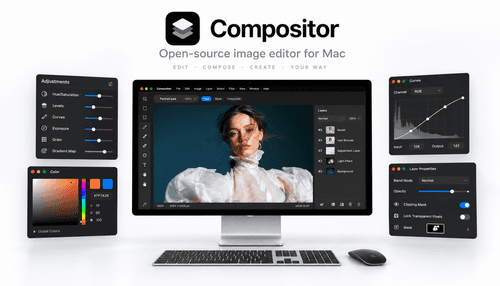
NexusAi Summary: Compositor is a free, open-source macOS image editor built for pixel-accurate compositing. It reproduces Photoshop-style workflows—layers, masks, blend modes—and includes selection, retouch, and filter tools with an Xcode-ready codebase for customization.
NexusAi Overview
Work proceeds around a layer-driven canvas: groups, masks, clipping, and blend modes let you compose complex scenes. Selections, brushes, and local retouch tools enable iterative edits while adjustment layers and filters preserve source pixels for later refinement.
Capabilities
The app is aimed at photographers, retouchers, indie studios, and visual artists who need a familiar, non-subscription compositing tool on macOS. It also suits developers and educators who want an accessible Xcode project to study or adapt professional imaging workflows without vendor lock-in.
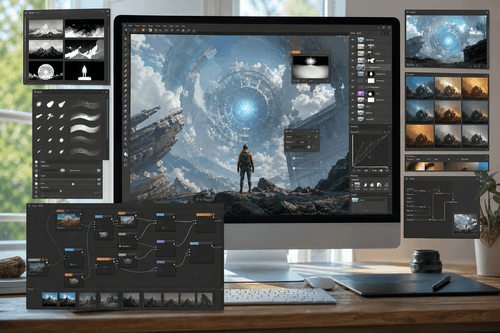
- Full layer system with masks, groups, and clipping masks for precise control.
- Blend modes and adjustment layers enable non-destructive color and tone corrections.
- Selection tools, spot healing, clone stamp, and brush support detailed retouching.
- Built-in filters include blur, lens correction, grain, and background removal utilities.
- Open-source Xcode project lets developers build, extend, and debug the application.
Highlights
Who it's for
Begin by downloading the macOS build from the project site or visiting the GitHub repository to view releases and source. Developers can clone the repo, open the workspace in Xcode, and build the app locally; the README contains build notes and contribution guidelines. There are no proprietary accounts required—issues and pull requests are handled on GitHub so teams can report bugs or propose changes.
NexusAi: A practical, Photoshop-style compositor focused on control, openness, and a macOS-native workflow.
Getting started
Compositor's strongest differentiators are its macOS-native design, complete Photoshop-style toolset, and an open-source Xcode project that invites inspection and extension. It removes subscription friction while preserving professional compositing workflows, making it a practical choice for creatives and teams who want control over both pixels and source code.
Open the tool and review its core product experience.
Create your account or access your existing workspace.
Use your own task to judge speed, quality, and fit.
Check similar AI tools before making a final decision.

Compositor
Robbie Tilton is an independent macOS developer focused on imaging tools and creative workflows. He built Compositor to provide a familiar, extensible compositing environment without subscription barriers, publishing source and releases to support users and contributors.
Compositor is a macOS-first image editor designed as a practical Photoshop alternative for compositing and post-processing. It implements a traditional layer-based workflow with folders, masks, clipping masks, and blend modes to produce pixel-accurate results. The app bundles selection tools, adjustment layers, and a range of filters alongside retouch utilities such as spot healing and clone stamping. As an open-source project, the complete Xcode project is available on GitHub so teams can inspect, extend, or rebuild the app to match production needs. Compositor focuses on predictable, non-destructive edits and a familiar toolset so photographers, retouchers, and visual artists can stay in flow without subscription constraints.
Visit Compositor
Comments (0)
No Comments Found