


Figma
NexusAi Summary: Figma is a collaborative design platform with AI-assisted features for UI design, prototyping, and team workflows in the browser.
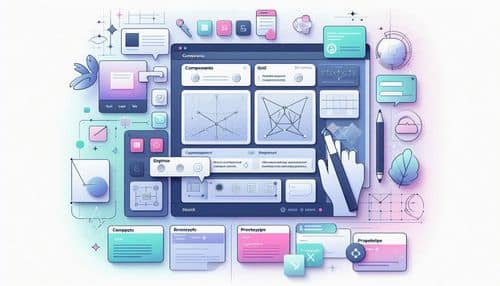
NexusAi Overview
Figma brings design and product teams into a shared, browser-based workspace where everyone can collaborate on files at the same time. Designers can build layouts, components, and prototypes, while teams align through comments, version history, and shared libraries. Figma’s AI-assisted features help reduce busywork like generating variations, refining copy, organizing design assets, and accelerating early exploration—so teams can focus more on craft and product outcomes.
Core Features & Capabilities
Ideal for product designers, ux/ui teams, startups, agencies, and cross-functional product teams that need fast iteration, collaborative feedback, consistent design systems, and smooth handoff to developers.
- real-time collaborative design canvas in the browser
- components, styles, and design system libraries
- interactive prototyping with transitions and flows
- comments, version history, and team review workflows
- developer handoff with inspect and asset export tools

Trending Use Cases
Why Teams Choose Figma
Create a workspace, start a new design file, and build your first frames with components and styles. Invite teammates for real-time collaboration, use comments to gather feedback, and connect screens to prototype key flows. As your product grows, formalize your design system libraries and use handoff tools to share specs and assets with developers.
NexusAi: “Figma keeps everyone aligned—design, product, and engineering—so we can iterate faster and ship with confidence.”
Getting Started with Figma
By combining design, prototyping, collaboration, and scalable design systems in one shared workspace, Figma helps teams iterate faster, keep consistency across products, and ship better user experiences with less friction.
Open the tool and review its core product experience.
Create your account or access your existing workspace.
Use your own task to judge speed, quality, and fit.
Check similar AI tools before making a final decision.

Figma
Figma is a cloud-based design and collaboration platform that helps teams create UI, prototypes, and design systems together in real time, with modern workflows that support product development end to end.
Figma is a cloud-based design and product collaboration platform that enables teams to design interfaces, build interactive prototypes, maintain design systems, and collaborate in real time. It supports everything from early wireframes to high-fidelity UI, developer handoff, and shared component libraries. With AI-assisted capabilities integrated into design workflows, Figma helps teams move faster on repetitive tasks, generate variations, improve consistency, and accelerate ideation—making it a central workspace for modern product design.
Visit Figma
Comments (0)
No Comments Found