


FlutterFlow
NexusAi Summary: FlutterFlow is a visual development platform for building production Flutter apps. Teams design responsive UIs, wire logic with an Action Flow Editor, connect Firebase or Supabase, integrate REST APIs, test in Test Mode, collaborate with branching, and export clean Flutter code without lock-in.

NexusAi Overview
In practice, you assemble screens from prebuilt widgets, apply responsive constraints, and define logic in the Action Flow Editor for taps, queries, and API calls. Link a Firebase or Supabase backend, preview on devices in Test Mode, and iterate with comments and tasks before exporting clean Flutter code.
What it does
FlutterFlow suits product teams, startups, and agencies who need to prototype, validate, and scale Flutter apps rapidly without abandoning code ownership. It helps designers and PMs translate concepts into working software, while developers focus on custom logic, integrations, and polish. It’s also valuable for enterprise teams standardizing on Flutter who need consistent UI patterns, collaborative workflows, and the option to extend with custom actions or widgets as requirements evolve.
- Build responsive UIs from 200+ Flutter widgets with granular property control.
- Define app logic visually using the Action Flow Editor and conditions.
- Connect Firebase or Supabase databases and sync data across screens.
- Integrate REST APIs, payments, and maps without custom scaffolding or boilerplate.
- Collaborate with branching, comments, and tasks to coordinate multi-developer changes.
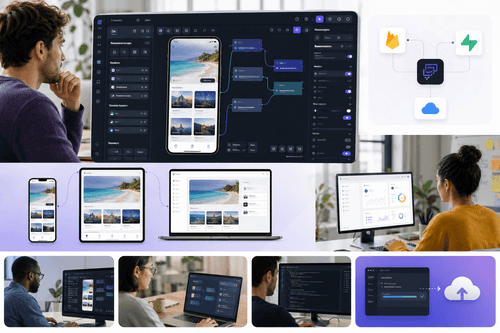
Key capabilities
Who uses FlutterFlow
Getting started is straightforward: create a workspace, start from a blank project or marketplace template, and set up your data by connecting Firebase or Supabase. Establish your theme using the design system or import styles from Figma. Model navigation and business logic in the Action Flow Editor, then configure REST API calls, payments, or maps via built-in integrations. Use Test Mode to validate flows on different device sizes, open branches for larger changes, and request feedback with comments and tasks. When the build is ready, export Flutter source or deploy to iOS, Android, and web with a few clicks.
NexusAi: Visual Flutter development without lock-in, from prototype to production.
Getting started
FlutterFlow’s strongest differentiators are its production-grade Flutter code export, visual logic that scales beyond prototypes, and first-class data integrations. Combined with branching collaboration and responsive design, teams move faster while retaining the flexibility to customize or migrate. For organizations investing in Flutter, it offers a pragmatic path to ship sooner, standardize patterns, and maintain full code portability.
Open the tool and review its core product experience.
Create your account or access your existing workspace.
Use your own task to judge speed, quality, and fit.
Check similar AI tools before making a final decision.

FlutterFlow
FlutterFlow, Inc. builds developer tools that make modern app development faster and more accessible. The team focuses on high-quality visual tooling for the Flutter ecosystem, emphasizing production-ready code export, strong data integrations, and collaborative workflows that help startups, agencies, and enterprises ship reliable mobile and web apps sooner.
FlutterFlow is a browser-based visual builder for native Flutter applications. It combines a large widget library, responsive layout controls, and an Action Flow Editor to model navigation, state, and side effects without hand-writing boilerplate. Data connects in minutes using Firebase or Supabase, and teams can call any REST endpoint to integrate services like payments or maps. A built-in Test Mode provides rapid iteration with device previews, while versioned branching and inline comments support collaborative development. When ready, you can export production-grade Flutter code or deploy to iOS, Android, and the web with a few clicks. Because projects compile to real Flutter, there’s no vendor lock-in, and custom actions or widgets let engineers extend the platform as needed.
Visit FlutterFlow
Comments (0)
No Comments Found