


Microsoft
NexusAi Summary: Microsoft combines cloud infrastructure, enterprise AI, productivity suites, and developer tools into a unified platform for businesses to deploy, secure, and scale intelligent applications, collaborative workflows, and managed services at scale.
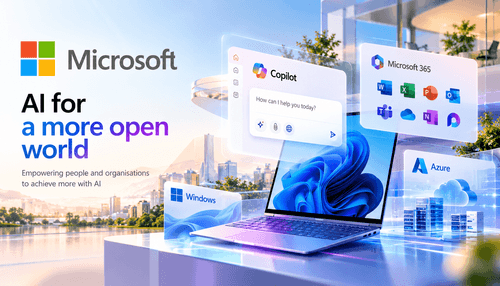
NexusAi Overview
Teams use Microsoft to centralise identity, storage, compute, and productivity workflows so models, apps, and documents share governed data pathways. The platform supports hybrid and cloud-first topologies, secure collaboration, and built-in observability for operational AI workloads.
Capabilities and core technologies
Typical users include infrastructure engineers, AI platform teams, enterprise architects, and application developers who need scale, compliance, and tight integration with productivity tools. It suits organisations deploying Copilot-assisted workflows, data-aware automation, or multi-tenant services that require corporate identity and governance. Smaller teams can adopt managed services, while larger organisations leverage Azure-native controls for isolation and policy enforcement.
- Host and scale models with managed Azure compute and container services.
- Embed Copilot features into Microsoft 365 apps for workflow augmentation.
- Apply enterprise identity, encryption, and policy controls across services.
- Integrate CI/CD pipelines and developer tooling for reproducible deployments.
- Monitor and audit model usage with built-in observability and compliance logs.
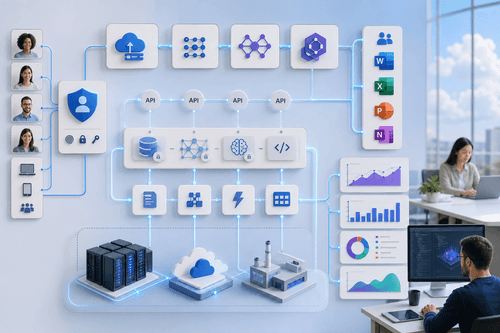
Practical trends and use cases
Editor's quote
Begin with an Azure tenant and Microsoft 365 subscription, enable Azure AD and relevant service quotas, and configure identity and networking boundaries. Use Azure ML or managed inference endpoints for models, connect services via Graph API and Power Platform, and consult Microsoft Learn and product docs for step-by-step onboarding. For Copilot features, validate tenancy requirements and data residency settings before enabling workspace-level integrations.
NexusAi: Microsoft pairs large-scale cloud infrastructure with productivity-first integrations, making it a pragmatic choice for enterprises that prioritise governance, developer workflows, and end-user productivity.
Getting started
Microsoft's strength is breadth: a unified stack that reduces integration friction between cloud infrastructure, productivity experiences, and developer workflows. Its differentiators are enterprise compliance, tight Microsoft 365 integration, and a broad managed-service portfolio that supports production-grade AI deployments.
Open the tool and review its core product experience.
Create your account or access your existing workspace.
Use your own task to judge speed, quality, and fit.
Check similar AI tools before making a final decision.
Microsoft
Microsoft is a multinational software and cloud company providing enterprise infrastructure, productivity suites, developer tools, and AI services. The company focuses on secure, compliant platforms for large organisations and long-term operational support.
Microsoft is a broad enterprise platform that integrates Azure cloud services, Microsoft 365 productivity tools, Copilot AI capabilities, developer tooling, and security controls. It packages infrastructure-as-a-service, platform services, and SaaS productivity into an interoperable stack that supports large-scale model hosting, data governance, and endpoint integration across Windows and Surface hardware. For technical teams it provides APIs, SDKs, identity and access management, and managed ML services that reduce operational overhead while preserving enterprise compliance needs. The platform targets production-grade deployments rather than research prototypes, emphasising secure data flows, tenant isolation, and lifecycle management for AI-enabled applications in regulated environments.
Visit Microsoft
Comments (0)
No Comments Found