


Apps by Mo
NexusAi Summary: Mo is a lightweight macOS assistant that accepts typed or spoken requests, proposes file tidy actions, drafts replies and plans your day. It runs locally and requests confirmation before making any system changes.
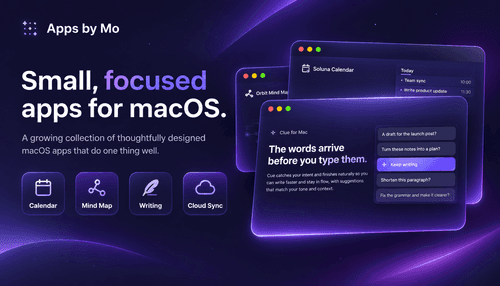
NexusAi Overview
Work begins with a single request. Type or speak what you need; Mo translates that intent into discrete suggestions — move, rename, group files, create calendar items, or draft messages — then displays a compact preview and awaits your approval.
Capabilities
Target users are professionals and technical buyers who favour small, dependable tools: engineers, operators, founders and privacy-conscious knowledge workers. Mo suits anyone who repeatedly performs short desktop tasks and prefers a local assistant that reduces context switching without introducing cloud dependencies or ongoing subscriptions.
- Accept typed and spoken requests and convert them into actionable suggestions.
- Propose file tidy operations such as move, rename and grouping actions.
- Draft short replies and message fragments based on user-provided context.
- Turn plain text timelines into tentative calendar items for review.
- Show a preview of every change and require user confirmation before acting.

Why Mo Matters
Foundational design
Install Mo from the developer distribution channel or the Mac App Store, then grant the system-level permissions the app requests (access to files, accessibility and optionally calendar). Open the menu-bar icon, type or speak a request, review the suggested actions in the compact panel, and confirm to apply. Documentation and developer contact are available through the app and the product site for troubleshooting and feedback.
NexusAi: Small, focused apps that keep your data on your Mac.
Getting started
Mo’s value lies in its narrow, well-executed scope: a compact assistant that reduces friction for small desktop tasks while preserving control and privacy. It is not a cloud AI platform but a practical, native utility for users who need fast, reversible automation on their Mac.
Open the tool and review its core product experience.
Create your account or access your existing workspace.
Use your own task to judge speed, quality, and fit.
Check similar AI tools before making a final decision.

Apps by Mo
Abdulmohsen Al Tulaihi is an independent macOS developer who builds small, focused native apps. He emphasizes local-first design, minimal telemetry, and direct support via email rather than large platform ecosystems.
Mo is a focused, menu-bar assistant for macOS that converts plain-language input into curated system actions. Users type or speak a request; Mo suggests concrete steps — tidy files, sketch a day plan, or draft a reply — and asks for confirmation before acting. The app is built with a local-first mindset: data and decisions remain on the user’s Mac, and the developer explicitly avoids accounts and analytics. Mo is intentionally narrow: it automates small, repeatable desktop tasks that otherwise require manual context switching, reducing friction for professionals who prefer native tools and tight privacy controls.
Visit Apps by Mo
Comments (0)
No Comments Found