


NextSlide
NexusAi Summary: NextSlide is a browser-based presentation control system that turns any phone into a clicker and any tablet into a confidence monitor. Create presenter and audience views, share control links globally, and keep every display perfectly in sync with minimal bandwidth.

NexusAi Overview
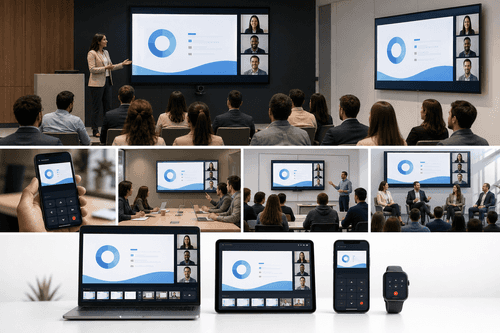
Create an account, upload a deck, and share presenter or audience links. Each device opens a tailored view—active slide, next slide, notes, or thumbnails—while a low-latency signal advances every screen in lockstep. Screen share or connect a projector, and presenters drive the deck from phone, tablet, or a standard clicker.
What it does
NextSlide suits event producers, AV teams, and technical program managers delivering hybrid conferences, town halls, and trainings. It’s equally useful for educators, sales engineers, and legal or consulting teams that co-present across geographies. Organizations with multi-room campuses or frequent panel sessions benefit from seamless handoffs, confidence monitoring, and reliable synchronization without special hardware, drivers, or local installs.
- Turn any phone into a reliable, low-latency clicker for slide control.
- Build presenter and audience views with active slide, next slide, or notes.
- Share control securely using unique links, with global access over the web.
- Keep multiple screens perfectly synchronized using lightweight signaling and preloaded content.
- Support in-room clickers while remote presenters advance slides from anywhere.
Why it’s different
Customer perspective
Sign up, upload your presentation, and wait a moment for processing. Open the deck in the dashboard, generate presenter and audience links, and distribute them to speakers and rooms. Screen share or output the audience view to projectors. For in-room control, connect a standard clicker to a computer running NextSlide. Add passwords to restrict access and revoke links as needed. Teams can share the single account and log in simultaneously. Note current constraints: no animations or embedded video, and the free tier adds a watermark and limits available presenter views.
NexusAi: Finally, a browser-based clicker and confidence monitor that keeps every screen perfectly in sync.
Getting started
NextSlide streamlines hybrid and in-person presentations with a pure web workflow, synchronized displays, and globally shareable control links. It removes per-device licensing, heavy installs, and fragile cabling while keeping shows responsive on constrained networks. If you coordinate multi-presenter sessions, panel discussions, or multi-room venues, this is the simplest path to reliable control.
Open the tool and review its core product experience.
Create your account or access your existing workspace.
Use your own task to judge speed, quality, and fit.
Check similar AI tools before making a final decision.

NextSlide
Unmanage, LLC builds pragmatic web tools for live events and distributed teams. The company focuses on zero-install experiences that reduce AV complexity and let producers adapt quickly. NextSlide reflects that ethos with simple links, synchronized views, and reliable control over ordinary networks.
NextSlide is a web-based presentation orchestration platform for live, virtual, and hybrid events. Upload your deck, generate presenter and audience links, and run synchronized views across phones, tablets, stage monitors, and projector outputs—no software to install. Control travels over a lightweight signaling channel, so even spotty venue networks remain usable once slides are preloaded. Producers configure dedicated views—active slide, next slide, notes, or thumbnails—so speakers see what they need while audiences see the show. Shared control lets multiple presenters advance seamlessly from anywhere, eliminating “next slide, please” handoffs. Global operation and standard clicker support make it comfortable in boardrooms and broadcast-scale events. Password protection and link revocation help restrict access. Animations and embedded video aren’t supported yet, and the free tier watermarks the active slide and limits available views. For teams that live in meetings, webinars, and conferences, NextSlide simplifies logistics and keeps presenters confident.
Visit NextSlide
Comments (0)
No Comments Found