


OpenAI Dots
NexusAi Summary: OpenAI Dots are always-on, autonomous agents with dedicated cloud computers. They learn your standards, act across connected apps, and request approvals when needed—bringing enterprise-grade safeguards, identity, and Microsoft Agent 365 alignment to practical, multi-channel assistant workflows.

NexusAi Overview
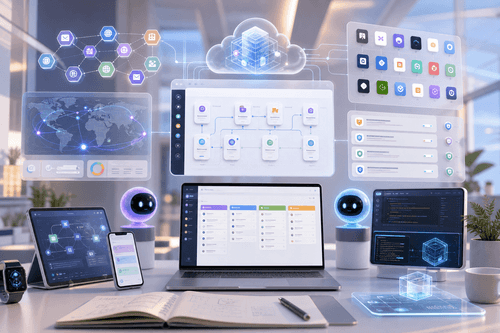
Create a primary dot, connect the apps you already use, and chat or call to delegate goals. The dot plans, runs background research in read-only mode, executes tasks on its computer, and summarizes progress—surfacing questions, decisions, and approvals through ChatGPT, Slack, or Teams without losing context.
How it works
Dots suit teams that benefit from continuous, standards-driven execution. Developers can triage feedback, scope fixes, and review prepared PRs. Product leads keep launches synchronized as scope shifts. Researchers update analyses and figures as new data lands. Sales engineers evolve proofs, tests, and proposals through evaluation cycles. Content creators convert interviews into clips, notes, and posts while edits propagate consistently. For enterprises, specialist dots assume governed responsibilities across procurement, support, email marketing, and contracting.
- Operates on a dedicated cloud computer with tools, storage, and a browser.
- Connects to thousands of apps via plugins and carries context across channels.
- Runs proactive, read-only research and summarizes findings without modifying your data.
- Requests approvals for sensitive actions using customizable rules and auto-review checks.
- Scales to specialist organizational roles with identities, credentials, and governed access.
What stands out
Who it's for
Dots are rolling out in ChatGPT to Pro and Business Premium users in eligible markets, with an Enterprise beta available when enabled by workspace admins. Create your first dot in the ChatGPT desktop app or a desktop browser, then connect the apps you rely on. Configure Custom Rules and approval preferences, review work in Activity View, and open the dot’s computer to inspect tasks live. Add Slack or Teams for multi-channel messaging. Your first dot is included with Pro or Business Premium; deeper work draws from your plan’s allowance, and tasks you start in ChatGPT Work count toward usual limits.
NexusAi: An agent that advances work across your stack and asks only when it needs you.
Getting started
Dots differentiate through dedicated cloud computers, multi-channel context, and guardrail-first execution. They combine proactive, read-only background research with approval-aware actions, so important work progresses safely and audibly. Specialist dots extend the model to governed organizational roles, with early alignment to Microsoft Agent 365, turning routine, policy-bound processes into reliable, inspectable automation.
Open the tool and review its core product experience.
Create your account or access your existing workspace.
Use your own task to judge speed, quality, and fit.
Check similar AI tools before making a final decision.

OpenAI Dots
OpenAI builds advanced AI systems and products used by individuals and enterprises worldwide. Drawing on research and deployment experience from ChatGPT and safety work, OpenAI Dots combine frontier intelligence, practical tooling, and governance controls to deliver auditable, standards-driven assistance across everyday applications and enterprise environments.
OpenAI Dots are remarkably capable, always-on agents designed to take work off your plate. Powered by GPT‑6 Astra and running on their own cloud computers, dots can research, plan, and execute tasks across thousands of connected apps via an expanding plugin ecosystem. They operate where you work—ChatGPT on desktop, web, and mobile, plus Slack and Teams—keeping context consistent across channels. Dots learn preferences and standards from feedback, propose actions, and follow built-in rules to determine when to proceed or ask for approval. Safeguards cover access controls, read-only proactive research, credential handling, and automated action review. For organizations, specialist dots can be provisioned with their own identity, credentials, and access to systems of record, with early pilots aligning governance to Microsoft Agent 365. The result is a practical, auditable agent that can investigate issues, prepare drafts, update analyses, and move projects forward while you stay in control.
Visit OpenAI Dots
Comments (0)
No Comments Found