


Opera
NexusAi Summary: Opera One is a privacy-first web browser that combines built-in AI, a free VPN, and integrated messengers. It reduces dependency on third-party utilities while delivering Chromium compatibility and task-focused features across desktop and mobile.
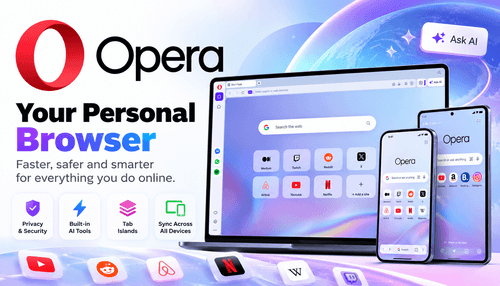
NexusAi Overview
Install Opera One, sign into an Opera Account to sync settings and Flow, enable the VPN and ad blocker, then use the sidebar for contextual AI queries. Tab Islands keep work and personal tasks isolated, which reduces tab clutter and accelerates focused browsing.
Capabilities
Opera suits engineers, product managers, security-minded researchers, and creative teams who need a fast, configurable browser with integrated privacy and AI tools. It fits workflows that require shifting between research, testing, and communication without installing multiple separate utilities, and supports both desktop and mobile continuity for cross-device tasks.
- Built-in free VPN provides lightweight traffic obfuscation and faster page loads.
- Opera AI offers tab-aware summarization and conversational, contextual search assistance.
- Tab Islands isolate tasks into persistent tab groups for structured browsing.
- Built-in ad blocker reduces resource use and improves page rendering speed.
- Flow and sidebar messengers keep cross-device links, files and conversations synchronized.

Key differentiators
Who it's for
Download Opera for desktop or mobile from the official site and create an Opera Account to enable sync and Flow. Most features work out of the box; enable VPN and ad blocker in Settings, open the sidebar to access Opera AI, and organise Tab Islands from the tab bar. Developers can install or build standard Chromium extensions; documentation and community forums provide guidance for advanced configuration and enterprise deployment.
NexusAi: Opera balances practical privacy tooling with integrated AI, making it a pragmatic choice for professionals who need speed and configurability without dozens of separate utilities.
Getting started
Opera's blend of free VPN, integrated AI, and task-aware UI distinguishes it from generic Chromium-based browsers. It reduces reliance on multiple third-party tools while keeping extension compatibility and offering a gaming-optimised sibling in Opera GX. For teams seeking a single browser with privacy, contextual assistance, and workflow features, Opera is a balanced, low-friction option.
Open the tool and review its core product experience.
Create your account or access your existing workspace.
Use your own task to judge speed, quality, and fit.
Check similar AI tools before making a final decision.

Opera
Opera ASA is a Norway-founded browser company with decades of browser engineering experience. The team focuses on privacy-forward features, performance optimisations, and experimental UX such as integrated AI and task-aware tab management across desktop and mobile.
Opera One is a full-featured web browser engineered for privacy, performance and contextual assistance. It pairs an integrated Opera AI layer with a free, built-in VPN, ad blocking, and sidebar messaging to reduce tab overload and exposure to third parties. Built on modern Chromium foundations, Opera preserves web compatibility while adding workflow features such as Tab Islands for task-based tab grouping and Flow for secure cross-device sharing. Developers benefit from standard extension hooks and configurable privacy settings; enterprise teams can adopt group deployment patterns. Use cases include secure research, AI-assisted summarization, gaming-optimised sessions via Opera GX, and mobile-first private browsing. Opera aims to be a single, low-friction application that blends practical privacy tooling with developer-friendly openness.
Visit Opera
Comments (0)
No Comments Found