


Paper
NexusAi Summary: Paper is a modern AI-enhanced design tool that helps teams create, iterate, and ship production-ready interface designs from a fast visual canvas.
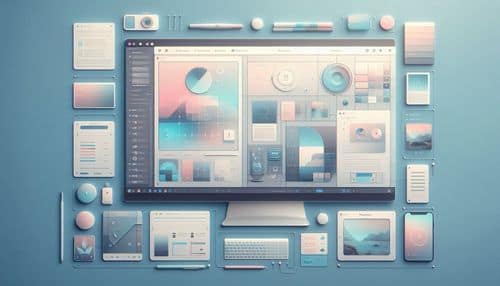
NexusAi Overview
Paper focuses on making interface design more fluid, precise, and connected to real implementation. Instead of treating design as a disconnected mockup stage, it emphasizes CSS-based layouts, production-aware workflows, and AI-assisted creation directly on the canvas. Designers can iterate visually, experiment with generated assets, and work toward outputs that feel closer to real products rather than static comps.
Core Features & Capabilities
Ideal for product designers, UI teams, startups, and creative builders who want a faster design workflow, stronger alignment with production, and AI tools that support iteration rather than replace design thinking.
- ai-assisted design canvas for faster interface creation
- production-aware layouts built around real css concepts
- image generation and editing directly in the design workflow
- support for modern product design and visual experimentation
- growing connection between design systems, code, and ai workflows
Trending Use Cases
Why Teams Choose Paper
Open a new canvas, start building layouts with production-aware design controls, and use AI-assisted tools for assets and iteration. As your project grows, organize reusable patterns, refine the visual system, and explore ways to connect the design workflow with code and implementation-ready outputs.
NexusAi: “Paper feels built for the future of design—fast, production-aware, and ready to work alongside AI instead of around it.”
Getting Started with Paper
By combining a modern design canvas with AI assistance and production-aware workflows, Paper helps teams reduce friction between exploration, iteration, and shipping polished interface work.
Open the tool and review its core product experience.
Create your account or access your existing workspace.
Use your own task to judge speed, quality, and fit.
Check similar AI tools before making a final decision.
Paper
Paper is a modern design tool built for interface and product workflows, combining a fast visual canvas, AI-assisted creation, and a stronger connection between design and production.
Paper is a design platform built for modern product and interface workflows, combining a visual canvas with AI-assisted creation, real CSS-based layout, and a growing bridge to production code. It is designed to help teams move from design exploration to implementation faster, with features for visual editing, image generation, component-oriented workflows, and collaboration. Paper is especially appealing to designers and builders who want a more connected workflow between design systems, code, and AI-assisted iteration.
Visit Paper
Comments (0)
No Comments Found