


Adobe Photoshop
NexusAi Summary: Photoshop is an AI-powered image editing and design platform for creating, retouching, compositing, and enhancing photos, graphics, and digital artwork.
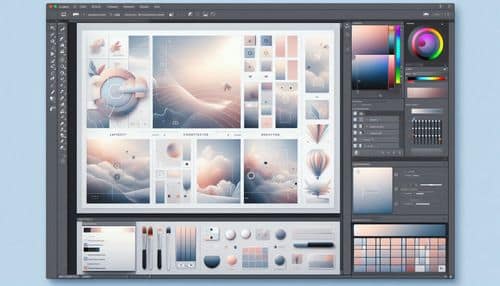
NexusAi Overview
Photoshop remains one of the most widely used creative tools for image editing and visual design, now enhanced with Adobe’s latest AI capabilities. Users can remove distractions, blend multiple images, generate new elements with prompts, retouch subjects, refine selections, and create professional graphics from a single workspace. Its combination of precision tools and AI-assisted workflows makes it valuable for everything from social media content and ad creative to photo retouching, digital art, and high-end compositing.
Core Features & Capabilities
Ideal for photographers, graphic designers, marketing teams, creative agencies, ecommerce brands, and digital artists who need professional-grade image editing, generative design, and visual content production at scale.
- edit and retouch images with professional layer-based workflows
- use generative fill and expand to create or extend image content with ai
- remove distractions, backgrounds, and unwanted objects quickly
- combine multiple images and graphics into polished composites
- design social content, ad creative, web graphics, and digital artwork
Trending Use Cases
Why Creators Choose Photoshop
Start by opening an image or canvas, then use layers, selections, and retouching tools to build your edit. For faster workflows, use AI features like Generative Fill, object removal, and background selection to make changes quickly, then refine the result with manual controls. Export your finished image for web, print, social media, product listings, or campaign use.
NexusAi: “Photoshop combines unmatched creative control with modern AI tools, making it easier to produce polished visual work faster.”
Getting Started with Photoshop
By combining professional editing precision with AI-powered generation and automation, Photoshop helps creators produce higher-quality images, faster workflows, and more flexible visual outputs across creative and commercial use cases.
Open the tool and review its core product experience.
Create your account or access your existing workspace.
Use your own task to judge speed, quality, and fit.
Check similar AI tools before making a final decision.
Adobe Photoshop
Photoshop is Adobe’s professional image editing and design platform, combining advanced retouching, compositing, and generative AI tools for visual creation across photography, design, and marketing workflows.
Photoshop is Adobe’s flagship image editing and design application, built for photographers, designers, marketers, and creators who need professional tools for visual production. It combines advanced editing, compositing, masking, retouching, typography, and design workflows with AI-powered features like Generative Fill, Remove Tool improvements, background selection, image upscaling, and intelligent adjustments. With support across desktop, web, and mobile, Photoshop helps users move from raw images to polished visual assets faster while maintaining creative control.
Visit Adobe Photoshop
Comments (0)
No Comments Found