


rabbit OS3
NexusAi Summary: Rabbit OS3 is an agent operating system that executes multi‑step tasks across your computers, the web, Telegram, and the r1 device. It keeps memory, uses connected files and apps, and supports bring‑your‑own‑model setups without rebuilding workflows.

NexusAi Overview
Start a job from the web, Telegram, or r1, and let OS3 work on your connected computer—even when the tab is closed. It tracks context, checks in for decisions, and continues multi‑step tasks without micromanagement.
Capabilities
OS3 suits professionals who care about outcomes over prompts: founders validating ideas, operators delegating recurring chores, researchers turning notes into usable artifacts, and engineers who need automation that crosses local tools and cloud services. It’s practical for anyone with work scattered across browsers, messaging, and desktop apps, or who moves between machines during the day. Teams that prefer model choice or local runtimes gain flexibility without redoing setup, while individual users benefit from persistent context that reduces re‑explaining.
- Plan and execute multi‑step tasks across web, Telegram, r1, and connected computers.
- Operate desktop apps safely using DLAM when screen interaction is explicitly permitted.
- Maintain memory and context across requests so longer jobs resume without repetition.
- Bring your own model via hosted APIs, OpenRouter, Ollama, or local runtimes.
- Manipulate files and folders, including sorting, renaming, and multi‑machine handoffs.
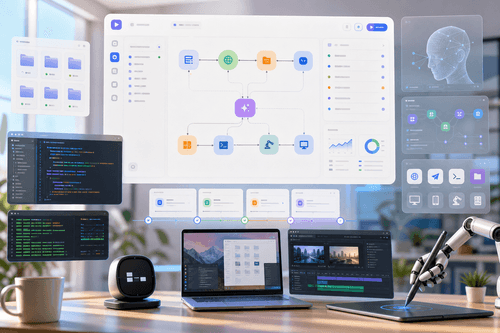
Highlights
Who It’s For
Create or sign in with your rabbit account, then choose where to use OS3: the web app, Telegram, the r1 device, or the native desktop app for macOS or Windows. Connect one or more computers to enable local file access and software control. For tasks that must see and operate applications, grant DLAM permission when prompted. Optionally add your own API keys via supported providers, OpenRouter, Ollama, local models, or a custom endpoint; your memory and skills persist if you switch models later. Start a task, close the tab if needed, and return when it’s done or a decision is required.
NexusAi: Stop operating software; describe outcomes and let OS3 carry out the steps.
Setup and Onboarding
Rabbit OS3 stands out by working where the task is—across devices, channels, and desktop apps—while preserving memory and letting you swap underlying models without losing setup. It focuses on delivering finished work, not links or transcripts, and continues long‑running jobs after you step away. If your bottleneck is shuttling context between tools or waiting at a screen for progress, OS3 removes that overhead and keeps moving the work forward.
Open the tool and review its core product experience.
Create your account or access your existing workspace.
Use your own task to judge speed, quality, and fit.
Check similar AI tools before making a final decision.

rabbit OS3
Rabbit Inc. builds AI-native interaction and automation systems that blend hardware and software. The company created the r1 device and OS3, emphasizing practical, cross‑device execution, persistent memory, and model choice. Its work centers on moving beyond chat answers to completed tasks.
Rabbit OS3 is an agent operating system that executes outcomes rather than delivering chat answers. You describe what you’re trying to achieve; OS3 plans steps, runs them on your connected computers, and returns when decisions are required. It keeps memory and relevant context across requests, so longer jobs resume without repeating your backstory. OS3 reaches tasks where they live: the web, Telegram, and the r1 device, while using files and software on machines you connect. When interaction with on‑screen applications is needed, OS3 can request permission to use DLAM to see the screen and drive apps carefully. You can bring your own model via supported providers, including hosted APIs, OpenRouter, Ollama, local models, or your own endpoint; your memory, skills, and connected computers persist when switching models. Native desktop apps for macOS and Windows provide the same conversations and control as the browser, enabling file operations like sorting and renaming, research synthesis into comparisons or presentations, and other multi‑step workflows without babysitting progress.
Visit rabbit OS3
Comments (0)
No Comments Found