


Replica
NexusAi Summary: Replica is an open-source prototyping tool that uses Copilot and your design system to generate interactive prototypes and shareable previews, letting product teams iterate rapidly without a full backend or bespoke UI engineering.
NexusAi Overview
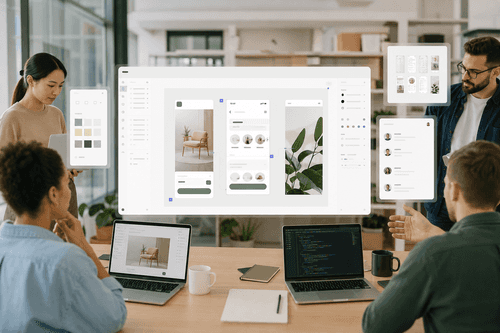
Workflows run locally: install a starter, point Replica at your component set, then use natural language to compose screens and interactions. The canvas renders alongside Copilot so you iterate visually while preserving the repository history and design constraints.
Capabilities
Ideal users include product designers, PMs, frontend engineers, and design system maintainers who need fast, high-fidelity explorations tied to the codebase. Replica reduces handoffs by letting designers encode component usage rules, while engineers review and extend starters. It fits teams that already use Git and Node.js and those that want a low-friction way to publish prototypes to a controlled Hub for asynchronous review.
- Generate interactive prototypes from natural-language prompts using your design system components.
- Run prototypes locally with Node.js and view them beside a Copilot conversation.
- Publish finished prototypes to a self-hosted Replica Hub for team review and comments.
- Use starter apps and CI build actions to standardise publishing and deployment workflows.
- Encode component guidance so prototypes reflect approved design patterns and accessibility constraints.
Why teams pick Replica
Early reactions
Clone a starter repository, install Node.js and npm, and follow the repository’s setup guide to register your design components and guidance. Use the Copilot app to open the Replica canvas and issue natural-language prompts to compose screens. For team publishing, configure the Hub with a Linux host, HTTPS, and wildcard DNS, then add the provided build action to CI to publish stable prototype builds. Review documentation, troubleshooting, and contribution guidelines in the repository before customizing starters or Hub settings.
NexusAi: Replica shortens iteration loops by keeping prototypes tied to real components and repository workflows, not ephemeral mockups.
Getting started
Replica is purposeful rather than generative: it surfaces prototypes that use your code and components, reduces speculative UI work, and centralises feedback in an optional Hub. Choose Replica when you want reproducible, reviewable prototypes aligned to your product’s design system rather than detached mockups.
Open the tool and review its core product experience.
Create your account or access your existing workspace.
Use your own task to judge speed, quality, and fit.
Check similar AI tools before making a final decision.

Replica
Created and maintained by GitHub Design, Replica is supported by design and engineering staff who focus on reproducible prototyping, design-system alignment, and developer workflows for rapid product iteration.
Replica is an open-source, GitHub-built prototyping workflow that converts a team’s components, patterns, and guidance into runnable, inspectable prototypes beside a Copilot conversation. It integrates with Git, Node.js, and the GitHub Copilot app to run locally, or publish to an optional Replica Hub for team review and comments. Replica emphasizes fidelity to an existing design system rather than inventing UI; designers encode component props and guidance, engineers reuse starters and CI actions, and product teams experiment with flows using plain language prompts. Core technologies are Node.js tooling, Git-based repositories, Copilot model access (or compatible providers), and an optional Linux-hosted Hub for publishing, commenting, and lightweight analytics. Licensed MIT and maintained by GitHub Design, Replica is intended for teams that need fast, collaborative exploration with low setup overhead and clear alignment to approved UI components and patterns.
Visit Replica
Comments (0)
No Comments Found