


Superwhisper
NexusAi Summary: Superwhisper is a cross‑platform voice‑to‑text app for macOS, Windows, and iOS that works in any app. It provides offline transcription, 100+ languages, predefined and custom modes, persistent vocabulary, meeting notes, file transcription, and hotkey push‑to‑talk for fast, polished text.

NexusAi Overview
Press a global hotkey to hold‑to‑talk, speak naturally, and release. Superwhisper cleans punctuation and formatting, applies the selected mode, and pastes directly into the focused field. Switch tone for email or chat, insert names from saved vocabulary, and keep typing hands‑free across desktop apps and mobile.
How Superwhisper works
Superwhisper suits developers driving agentic coding tools, founders moving quickly between Slack and email, and operators who need accurate records with minimal friction. It removes the keyboard from routine communication, helps non‑native writers produce clear tone, and accelerates note‑taking during calls. Teams using Cursor, Claude Code, or similar environments can narrate intent faster than they can type, giving agents richer context. Heavy travelers and field staff benefit from offline reliability when Wi‑Fi is spotty.
- Dictate anywhere with a global hotkey and automatic paste into the active app.
- Switch predefined modes to control tone, structure, and formatting for each task.
- Save names and jargon once; personalized vocabulary persists for future dictations.
- Transcribe meetings or uploaded audio and video into reliable, editable text.
- Recognize 100+ languages with optional translation to English for downstream use.
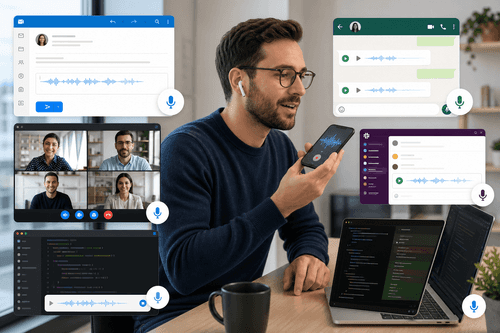
Popular use cases
Who it’s for
Install Superwhisper on macOS or Windows, then assign a global shortcut (e.g., Option+Space) and grant microphone access. Pick a predefined mode or create a Custom Mode with formatting rules and model selection; add vocabulary entries for names and acronyms. On iOS, use the same push‑to‑talk workflow for mobile messaging and notes. If desired, connect your own API keys to access preferred cloud models. Enable Super Mode when working across multiple windows. Meeting capture and file transcription are available from the desktop app. Enterprise customers can enable centralized authentication and controls to standardize settings across teams.
NexusAi: Just speak—Superwhisper turns ideas into clean, correctly formatted text wherever you type.
Getting started
Superwhisper’s edge is speed and fit: speak once, get clean text shaped for the task, and keep moving. Offline operation, multilanguage coverage, and deterministic modes reduce corrections. Custom Modes and model choice let teams tune outputs for support tickets, emails, docs, or code conversations. Because it integrates at the OS layer, it reliably works anywhere you already type.
Open the tool and review its core product experience.
Create your account or access your existing workspace.
Use your own task to judge speed, quality, and fit.
Check similar AI tools before making a final decision.

Superwhisper
Superwhisper is developed by a product‑focused team obsessed with speech interfaces and practical AI. The group blends on‑device speech technology, LLM prompting, and cross‑platform UX to ship a fast push‑to‑talk workflow that works anywhere you type, supporting multilingual users and agentic development tools.
Superwhisper turns speech into clean, structured text anywhere you can type. The desktop apps for macOS and Windows and a companion iOS app run a low‑latency push‑to‑talk loop: press a global shortcut, speak, release, and the edited transcript is pasted into the active field. It works offline on supported hardware, supports 100+ languages and dialects, and can translate everything to English. Predefined modes tune tone, formatting, and structure for email, chat, notes, and more, while Custom Mode lets you define rules and select models from providers such as GPT, Claude, Llama, Grok, or Gemini using your own API keys. A persistent vocabulary remembers names, abbreviations, and domain terms. Beyond live dictation, Superwhisper records meetings with automatic notes and transcribes uploaded audio or video files. Shortcuts and a screen‑aware Super Mode help adapt output to context. Because it integrates at the OS clipboard layer, it works in Slack, Gmail, Notion, code editors, and agentic tools like Cursor or Claude Code—no plugin required.
Visit Superwhisper
Comments (0)
No Comments Found