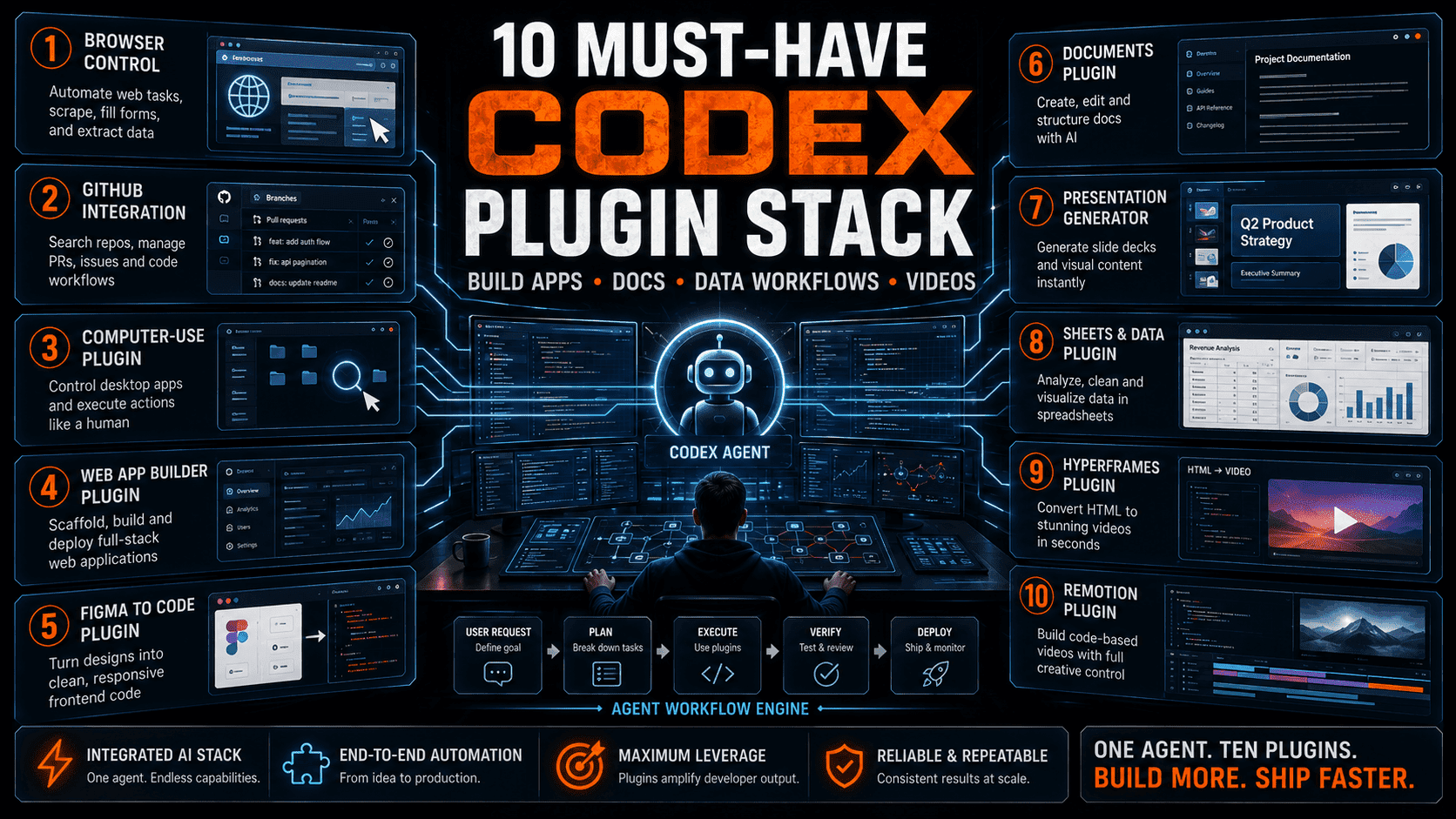
Codex becomes far more powerful when paired with the right workflow plugins for browsers, GitHub, Figma, documents, spreadsheets, app building and video generation.
Codex is most useful when it can move across the same tools that real teams use every day. Writing code is only one part of modern work. Developers, founders, marketers and operators also need to inspect websites, manage GitHub repositories, turn Figma designs into interfaces, generate documents, analyze spreadsheets and produce product videos.
That is why the best Codex setup should be treated like a workflow stack. A browser plugin gives Codex web context. GitHub gives it repository context. Computer Use gives it an execution layer. Documents, presentations and spreadsheets turn it into an office automation agent. HyperFrames and Remotion turn it into a programmable video production system.
The goal is not to install every possible integration. The goal is to choose plugins that remove handoffs. When Codex can read context, modify files, test output, generate assets and package deliverables, it becomes a practical agent for shipping real work.
1. Chrome: give Codex the web as a workspace
A Chrome or browser-control plugin lets Codex operate web pages, inspect interfaces, test flows, gather page context and validate whether a feature actually works in the browser. This is essential for UI work, QA, lead research, web automation and product debugging.
The highest-value use case is closing the loop between code and user experience. Codex can build a page, open it, inspect errors, test forms, check responsiveness and suggest fixes instead of leaving the developer to manually verify every change.
2. GitHub: turn Codex into a repository teammate
GitHub is the core plugin for serious Codex work. It lets Codex understand repositories, manage branches, inspect issues, create pull requests, review code and help teams coordinate changes across real software projects.
This is where Codex moves from prompt response to engineering workflow. A useful repository agent should not only generate code; it should explain changes, run tests, respect project conventions and produce reviewable work that fits into existing team processes.
3. Computer Use and Build Web Apps: automate from instruction to working product
Computer Use gives Codex a broader action layer for operating apps, files and desktop-style workflows. Build Web Apps turns high-level product instructions into frontend applications, prototypes and deployable interfaces.
Together, these plugins are ideal for founders and builders. A user can describe a landing page, dashboard, internal tool or SaaS prototype, then let Codex scaffold the interface, connect components, test the result and prepare the project for iteration.
4. Figma, Documents, Presentations and Spreadsheets: connect Codex to business work
Figma is critical for design-to-code workflows because it gives Codex a structured visual source instead of forcing the agent to guess layouts. A good Figma workflow can convert design drafts into components, prototypes, style systems and production-ready frontend plans.
Documents, presentations and spreadsheets expand Codex beyond engineering. These plugins let it generate formal reports, organize knowledge, create PPT outlines, analyze tables, clean data and turn business information into deliverables that teams can share immediately.
5. HyperFrames and Remotion: make Codex a video production agent
HyperFrames and Remotion are powerful because they turn video generation into code. Instead of relying only on timeline editing, Codex can generate structured scenes, motion layouts, reusable components, text overlays, audio timing and export logic.
This matters for AI media teams, product marketers and content creators. A Codex video stack can turn articles, app data, screenshots or product notes into repeatable short-video templates for TikTok, YouTube Shorts, LinkedIn and product explainers.