

NexusAi logo

NexusAi

  • Products
  • Categories
  • Prompts
  • Search
  • AI Insights
  • Pricing
  • Promote
  • Contact
Sign In
NexusAi LogoNexusAi

NexusAI helps you discover, compare, and learn AI tools with ease. From expert insights to training resources, we empower individuals and businesses to harness AI technology for smarter decisions, innovation, and growth.

Useful Links

  • About Us
  • AI Products
  • AI Category
  • AI Prompts
  • AI Search
  • AI Insights

Services & Legal

  • Showcase & Promotion
  • Membership Plans
  • Terms & Conditions
  • Refund Policy
  • Privacy Policy
  • Disclaimer

Contact Us

88 Tribune Street
South Brisbane, QLD, Australia, 4101
Website: www.nexusai-tech.com
Email: info@nexusai-tech.com

© Copyright 2026 NexusAi All Rights Reserved

Developed by DStudio Technology
Home/AI Insight/AI Model & Platform Updates/Meta’s Muse Glimmer Puts Always-On Agents on a Single Consumer GPU
AI Model & Platform UpdatesAgent Infrastructure

Meta’s Muse Glimmer Puts Always-On Agents on a Single Consumer GPU

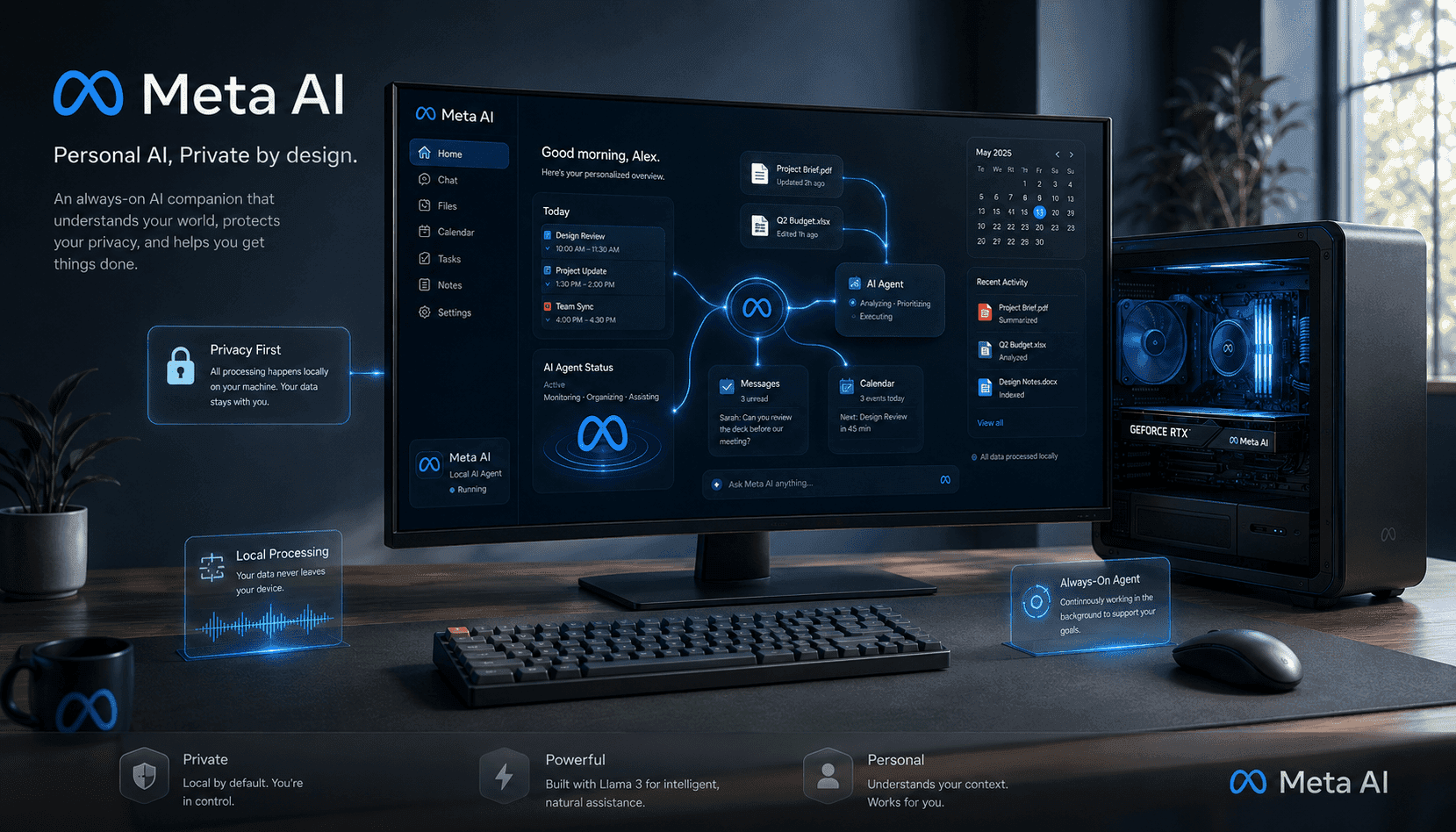
Meta’s 30B-parameter Muse Glimmer moves capable, tool-using AI agents from the cloud to a single consumer GPU, with multimodal I/O and more than 100 languages. Open weights under Apache 2.0 unlock private, offline workflows for scheduling, messaging, and file ops—without sending personal data to servers.

NexusAI Research DeskAug 11, 20262.1K views8 min read
Meta’s Muse Glimmer Puts Always-On Agents on a Single Consumer GPU
AI Brief

Muse Glimmer signals a practical pivot for agentic AI: an open-weight, 30B-parameter model designed to run always-on assistants locally on a single consumer GPU. By keeping tool calls, screenshots, and files on-device, Glimmer reframes privacy and control while shrinking latency and cloud costs. It’s a strategic milestone for founders and operators considering endpoint-centric architectures: deployment becomes a packaging and memory problem rather than a network dependency. Expect trade-offs—quantization, context limits, and energy use—but the direction is clear. Open weights under Apache 2.0 will accelerate forks, guardrails, and vertical agents, while the closed, larger sibling models define the performance ceiling. The near-term opportunity: prototype offline-first copilots that manage real work safely on user hardware.

Meta’s Muse Glimmer is a 30-billion-parameter, open-weight model built to power always-on personal agents that live on your Mac or PC. It accepts text and images and was trained across more than 100 languages, enabling assistants that can parse screenshots, draft messages, manage files, and coordinate multi-step tasks. Crucially, Glimmer is engineered to run on a single consumer GPU, removing the hard dependency on a cloud backend for everyday workflows and enabling private, low-latency autonomy at the edge.

For buyers and builders, the pivot isn’t just technical—it’s architectural. By processing sensitive context (calendars, documents, clipboard, screenshots) on-device, Glimmer makes the argument that agent utility can improve without expanding the data exhaust shipped to third parties. That trade—ownership and control over raw personal context for a modest performance step down from leading closed models—will appeal to privacy-conscious consumers and regulated teams that want assistants but cannot export data to external inference endpoints.

Running a 30B model locally still requires discipline. Expect best results with 24GB+ VRAM; lower-VRAM cards may need 8-bit or 4-bit quantization and careful batching. Tool use, filesystem permissions, and OS-level security prompts must be explicit to avoid overreach. Teams should pair Glimmer with a capability router: route generic chat or heavy reasoning to the cloud when needed, keep routine agent tasks local, and cache tool outputs to reduce energy and thermal load during always-on operation.

Strategically, Glimmer draws a line between open, user-runnable intelligence and higher-tier, closed models kept in the cloud. That line will shape product design: vertical agents for documents, email, or desktop automation can be owned, forked, and audited, while ultra-capable research or multimodal generation remains a service. The opportunity for startups is clear—ship trustworthy, offline-first agents with well-defined policies and logs. The risk for incumbents is equally clear—once assistants move onto endpoints, switching costs drop and ecosystems can fragment fast.

Key Takeaways

Local Agents Are Now Practical

With a 30B open-weight model targeting a single consumer GPU, private, low-latency desktop agents that manage files, messages, and screenshots move from demo to deployable reality.

Design for Hybrid Routing

Run routine tasks locally for privacy and speed; route heavy reasoning or long contexts to the cloud. Instrument both paths to monitor accuracy, cost, and failure modes.

Security Must Be Endpoint-Grade

Treat the agent like a privileged desktop app: granular permissions, activity logs, allowlisted tools, and prompt-injection tests against local files and screenshots.

What’s New: Open, Always-On, Single-GPU Agents

Glimmer packages a 30B model with multimodal inputs and broad language coverage into an open-weight release under Apache 2.0—meaning developers can download, modify, and redistribute within permissive terms. The twist is its design target: keep an agent resident and responsive on one consumer GPU. That unlocks agent behaviors—reading screenshots, sorting files, drafting replies—that previously demanded a persistent cloud session. It also reduces round trips for tool calls, which can materially improve perceived latency when an agent is orchestrating several steps back-to-back.

Why Local Matters: Privacy, Latency, and Control

Local inference changes the risk calculus. Sensitive artifacts—keystrokes, clipboard, inbox content, desktop captures—need not transit external servers to be useful to an agent. That’s a direct win for privacy, regulatory posture, and incident containment. Latency also improves when tool calls and context assembly happen on the same machine. Finally, local agents are interruptible and auditable in ways cloud bots are not: users can inspect logs, revoke permissions instantly, and keep a clear boundary between online lookups and offline automation.

Deployment Playbook: Memory, Quantization, and Safety

Target 24–48GB VRAM for smooth FP16/FP8 runs; on 12–16GB cards, use 8-bit or 4-bit quantization and limit sequence length. Pin the agent to explicit OS permissions: file system read/write, clipboard, screenshots, and network egress should each be togglable with logs. Use a capability router to offload long-context reasoning or high-fidelity vision to a cloud model when necessary. Add rate limiting for background tasks, and schedule idle quantization states to reduce thermals during “always-on” idling. Finally, version prompts and tools to ensure reproducible behavior across updates.

Cloud vs. Local: Cost and Reliability Trade-Offs

Local agents amortize cost into hardware and power instead of per-token cloud spend. For high-frequency personal workflows—triaging mail, renaming files, summarizing screenshots—local can be cheaper and faster. However, cloud models still win on peak capability, collaborative features, and managed uptime. A hybrid approach typically performs best: default local for routine private work, escalate to cloud for heavy reasoning, long contexts, or team co-editing. Observability should span both paths so product teams can track accuracy and failure modes across environments.

Risks and Limits: Model Gaps, Drift, and Endpoint Security

Open 30B models remain behind top-tier closed models on some reasoning and safety benchmarks. Always-on agents also raise a new attack surface: prompt-injection via local files or screenshots, over-broad file permissions, and stale toolchains that drift from policy. Mitigate with allowlists for tool calls, signed tool manifests, local content scanning, and red-team prompts specific to desktop contexts. Treat the agent like any privileged app: sandbox it, rotate credentials, and auto-update guardrails as you iterate on workflows.

Frequently Asked Questions

What hardware do I need to run Muse Glimmer well on a single consumer GPU?

Aim for 24–48GB VRAM for comfortable performance and longer contexts. On 12–16GB cards, use 8-bit or 4-bit quantization and reduce sequence length and batch size. Keep CPU RAM headroom for caching, and manage thermals if the agent stays resident. If you hit limits, route heavy tasks to a cloud model on demand.

How should teams evaluate always-on desktop agents for sensitive workflows?

Start with a privacy threat model and a capability map. Gate each permission (files, screenshots, clipboard, network) with explicit prompts and logs. Pilot with low-risk tasks, measure latency and task success, then graduate to sensitive workflows with red-teaming. Add a capability router so you can escalate complex reasoning to a cloud model without exposing everyday data.

Can I use Glimmer commercially and redistribute derivatives?

Yes—open weights under Apache 2.0 generally allow commercial use, modification, and redistribution, provided you include the required notices and comply with any included third-party terms. If you bundle tools or data, ensure their licenses are compatible. Document safety mitigations and version your model, prompts, and tools for compliance.

#meta ai agents#personal ai agents#Computer Use Agents#Computer Use (Desktop)#Privacy-First AI#On-Device Security#Open-Weight LLMs#Open Weights#Open-Weight Licensing#Multi-Modal Agents#Mac Workflow Automation#On-Device Vision#Code-Aware Agents#Memory Persistence for Agents#Local AI Agents#On-Device Inference#Open-Weight Models#Apache 2.0 License#Consumer GPU AI#Hybrid Routing#Agent Safety#Quantization Techniques

AI Insight Newsletter

Get the latest AI updates, tool news, and insights delivered to your inbox.

No spam. Unsubscribe anytime.
On This Page
1.What’s New: Open, Always-On, Single-GPU Agents2.Why Local Matters: Privacy, Latency, and Control3.Deployment Playbook: Memory, Quantization, and Safety4.Cloud vs. Local: Cost and Reliability Trade-Offs5.Risks and Limits: Model Gaps, Drift, and Endpoint Security
Share this article

Related Articles

The Rack Is the System: AI Infrastructure Competition Moves Beyond Chips
General AI Industry News

The Rack Is the System: AI Infrastructure Competition Moves Beyond Chips

Aug 6, 2026

Pacing the Frontier: Building Brakes for Self‑Improving AI Before It Outpaces Safety
AI Model & Platform Updates

Pacing the Frontier: Building Brakes for Self‑Improving AI Before It Outpaces Safety

Jul 29, 2026

AI-Accelerated Vulnerability Discovery Is Overloading Patch Tuesday Operations
General AI Industry News

AI-Accelerated Vulnerability Discovery Is Overloading Patch Tuesday Operations

Jul 20, 2026

ZML LLMD Targets Multi-Chip LLM Inference Without Nvidia Lock-In
AI Product News

ZML LLMD Targets Multi-Chip LLM Inference Without Nvidia Lock-In

Jul 9, 2026

SpaceX–NVIDIA Starmind: Orbital AI Compute Economics, Latency, and the Road to Scale
AI Product News

SpaceX–NVIDIA Starmind: Orbital AI Compute Economics, Latency, and the Road to Scale

Aug 6, 2026

Related AI Tools

View All
Meta Llama 3: The Most Capable Open-Source LLM Yet

Meta Llama 3: The Most Capable Open-Source LLM Yet

Writing & Text AI

Muse Code: Code Generation Model for AI-Assisted Development

Muse Code: Code Generation Model for AI-Assisted Development

No-Code & Low-Code AI

Muse Glimmer: Assistant Model API for Fast, Reliable Conversations

Muse Glimmer: Assistant Model API for Fast, Reliable Conversations

Developer & Coding AI