How to Build a Practical AI Stack for Small Businesses: Assistants, Search, Automation, Content, CRM & Analytics
A compact, actionable playbook for small-business owners who want one coherent AI operating system instead of a jumble of point tools. This guide shows how to map six core layers—assistants, search, automation, content, CRM and analytics—into simple stacks, costs, integrations and a phased adoption roadmap for quick ROI.
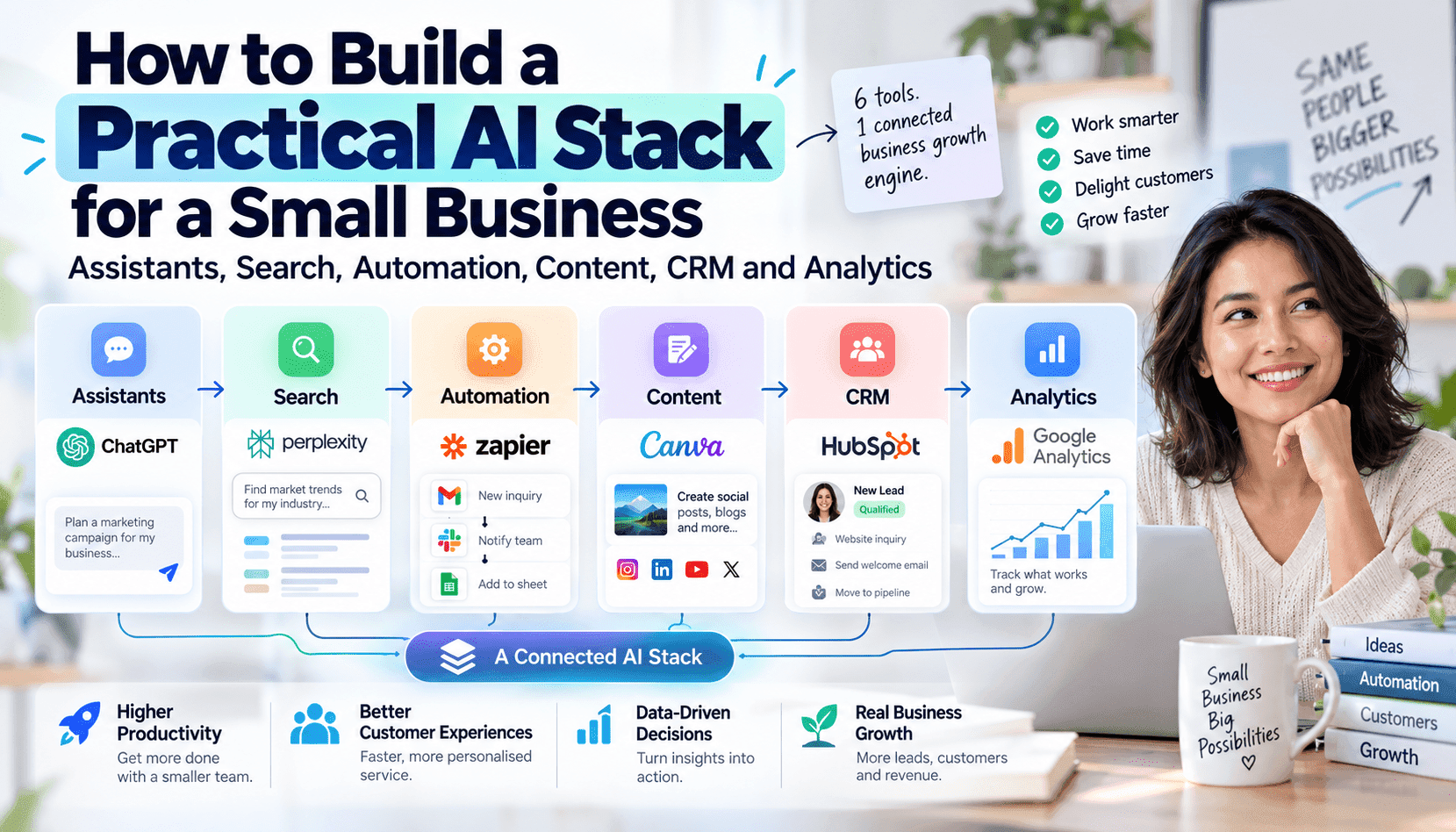
AI BriefSmall businesses do better when their AI tools act like an operating system, not a collection of disconnected apps. This piece prescribes a six-layer stack—AI assistants, search, automation, content, CRM & sales AI, and analytics—explaining the business problem each layer solves, how to choose tools by cost and complexity, useful integrations, and clear guidance on when to stick with SaaS versus invest in APIs, agents or custom workflows.
Small business owners face a common trap: buying multiple clever AI apps that don’t talk to each other. The result is duplicated effort, fragmented customer records and missed automation opportunities. This article reframes AI procurement as stack design—choose a small number of tools that interconnect across six layers and treat the combination as a single operational system. That shift reduces integration overhead, improves data hygiene and accelerates measurable ROI.
Each layer in the stack solves a distinct everyday problem. Assistants reduce cognitive load and speed routine decisions; search surfaces reliable knowledge and internal memory; automation removes repetitive work; content tools produce customer-facing material; CRM and sales AI manage pipelines and follow-ups; analytics turns fragmented signals into business insight. Framing tools by problem—rather than feature—helps owners pick the minimum viable set that’s actually used by the team.
Practical selection means balancing cost, complexity and integrations. For many small businesses, a few SaaS products with strong connectors are enough for 70–90% of value. Reserve APIs, agent platforms and custom workflows for needs where data sensitivity, scale, or bespoke automation workflows deliver a clear payback. The examples later in this guide show three stack archetypes (solo, small service, growing team) and a phased roadmap that prioritizes high-ROI use cases first.
This hub-style guide is meant to link naturally to NexusAI tool categories, product comparisons, automation guides and ROI calculators. Use it as an operational checklist: pick one tool per layer, confirm two-way integrations, measure one primary KPI per layer, then expand. The rest of this article lays out specific tool types, costs, integrations, risks and practical next steps that a founder or operator can act on in the next 30–90 days.
Key Takeaways
Design the stack around problems, not features
Map each layer to a specific operational problem (time saved, leads improved, churn reduced). Choose one tool per layer and validate impact on a single KPI before expanding.
Start with SaaS and connectors; escalate to APIs or agents selectively
SaaS tools cover most SMB needs at low cost. Use APIs or agent platforms only when data access, automation complexity, or scale generate clear ROI.
Measure one KPI per layer and follow a 0–30/30–90/90–180 day roadmap
Prioritize quick wins, stabilize integrations, then expand to advanced agents. Measuring outcomes prevents wasted engineering effort and accelerates adoption.
Design principles for a usable SMB AI stack
Start with your biggest recurrent cost or time sink and design to reduce that first. Favor tools that offer solid native integrations (Google Workspace, Microsoft 365, popular CRMs), clear export formats, and APIs if you anticipate growth. Prioritize discoverability—search and a shared knowledge layer keep assistants and automation accurate. Keep data ownership, access controls and simple audit trails front of mind to avoid vendor lock-in and compliance surprises as you scale.
Layer-by-layer choices: what to buy, why, and when to customize
AI assistants: solve everyday writing, summarization and decision support. Choose a hosted assistant app for immediate productivity gains (cheap, low friction). Move to an API or agent when you need custom access to private data, multi-step task automation, or higher throughput. Expected cost: free to $30/user/month for SaaS, $500+/month or engineering time for API/agent integration.
Search & research: this layer indexes internal docs, email and web research with vector search and retrieval. SaaS search platforms quickly lift knowledge discovery, but choose an index that supports embeddings and semantic search for long-term value. Costs range from free tiers to $100–$500/month depending on data volume; custom solutions add infra costs and engineering time.
Automation: use no-code tools for conditional email flows, scheduling and simple CRMs. Low-code or agent platforms are justified when processes require stateful multi-step workflows (quotes, approvals, invoicing) that cross systems. Expect SaaS automation to be $10–$50/user/month; agent or orchestration platforms require higher one-time setup and potential monthly orchestration fees.
Content tooling: pick a single content platform for marketing and customer messages with templates and brand controls. SaaS products reduce time-to-market; APIs matter when you need personalized, data-driven campaigns at scale. Typical spend: $20–$200/month depending on volume and channels.
CRM & sales AI: prioritize a CRM with contact sync, automation hooks and an AI assistant for follow-ups and lead scoring. If your sales cycle is complex and integrates with custom billing or product data, invest in API integrations or agents to keep context accurate. Costs vary widely: $0–$100/user/month for SaaS; integration costs add one-time engineering spend.
Analytics: use a BI or lightweight analytics product first; connect it directly to your CRM and content metrics. Retain a single source of truth for conversion funnels and the one KPI you’ll optimize per quarter. Advanced analytics or custom model hosting is justified when you have repeatable forecasts or pricing optimization needs that improve margin materially.
Example stacks: solo founder, small service firm, and growing team
Solo founder: a single hosted assistant, a lightweight vector search over notes, Zapier or Make for automations, one content generator with templates, a simple CRM (or spreadsheet + add-on) and Google Data Studio for analytics. Cost target: under $150/month. The aim is to replace the founder’s repetitive tasks first—scheduling, outreach, and content repurposing.
Small service company (3–10 people): choose an assistant with shared workspace and memory, a managed vector search that indexes client documents, Power Automate or Make for multi-step workflows, a content platform supporting multi-channel publishing, a mid-tier CRM with AI lead scoring, and a BI tool for project profitability. Budget: $500–$2,000/month plus integration setup if needed.
Growing teams (10+): adopt systems that scale—enterprise-grade search (elastic or managed vector DB), an orchestration/agent platform to run cross-system workflows, API-first assistants integrated into internal apps, a mature CRM with extension points, and a data warehouse plus BI layer. Expect higher setup costs but faster per-user productivity gains.
Phased adoption roadmap and measuring success
Adopt in three phases: (1) Quick wins in 0–30 days—deployed assistant, search over your top documents, and one automation that saves time; (2) Stabilize in 30–90 days—connect CRM, standardize content templates and measure KPIs; (3) Expand in 90–180 days—introduce agents or APIs for multi-step automation and centralize analytics. Always pick one metric per layer (e.g., ticket response time, lead-to-opportunity conversion, content reach) and measure before/after.
Integration risks, costs and when to build custom agents
Common risks include data fragmentation, hidden API costs, brittle multi-step automations and vendor lock-in. Build custom agents only when (a) automation complexity forces manual handoffs that reduce throughput, (b) private or regulated data requires on-prem or tightly controlled access, or (c) the marginal revenue from automation exceeds engineering and maintenance costs. Otherwise, prefer SaaS with robust connectors and export options.
Frequently Asked Questions
How many AI tools should a small business start with?
Start with one tool per layer (assistants, search, automation, content, CRM, analytics)—so six maximum—and only add more when a clear, measured gap appears. Often a combined SaaS product can cover multiple layers for solo founders.
When is a custom agent or API integration justified?
Justify custom work when automation requires stateful, multi-step processes across systems, when private data can’t be exposed to third parties, or when the incremental revenue or cost saving clearly exceeds the development and maintenance costs.
How should I measure success after implementing the stack?
Select one primary KPI per layer (e.g., response time for assistants, search success rate, automation time saved, content engagement, lead conversion, analytics-driven decisions). Baseline the metric, run a 30–90 day test, and expand only if you see consistent improvement.

