

NexusAi logo

NexusAi

  • Products
  • Categories
  • Prompts
  • Search
  • AI Insights
  • Pricing
  • Promote
  • Contact
Sign In
NexusAi LogoNexusAi

NexusAI helps you discover, compare, and learn AI tools with ease. From expert insights to training resources, we empower individuals and businesses to harness AI technology for smarter decisions, innovation, and growth.

Useful Links

  • About Us
  • AI Products
  • AI Category
  • AI Prompts
  • AI Search
  • AI Insights

Services & Legal

  • Showcase & Promotion
  • Membership Plans
  • Terms & Conditions
  • Refund Policy
  • Privacy Policy
  • Disclaimer

Contact Us

88 Tribune Street
South Brisbane, QLD, Australia, 4101
Website: www.nexusai-tech.com
Email: info@nexusai-tech.com

© Copyright 2026 NexusAi All Rights Reserved

Developed by DStudio Technology
Home/AI Insight/AI Tool Comparisons/AI Coding Agent Review: Which Desktop App Is Best for Running Claude, Codex and Multiple Agents in Parallel?
AI Tool ComparisonsAgent InfrastructureEditor's Pick

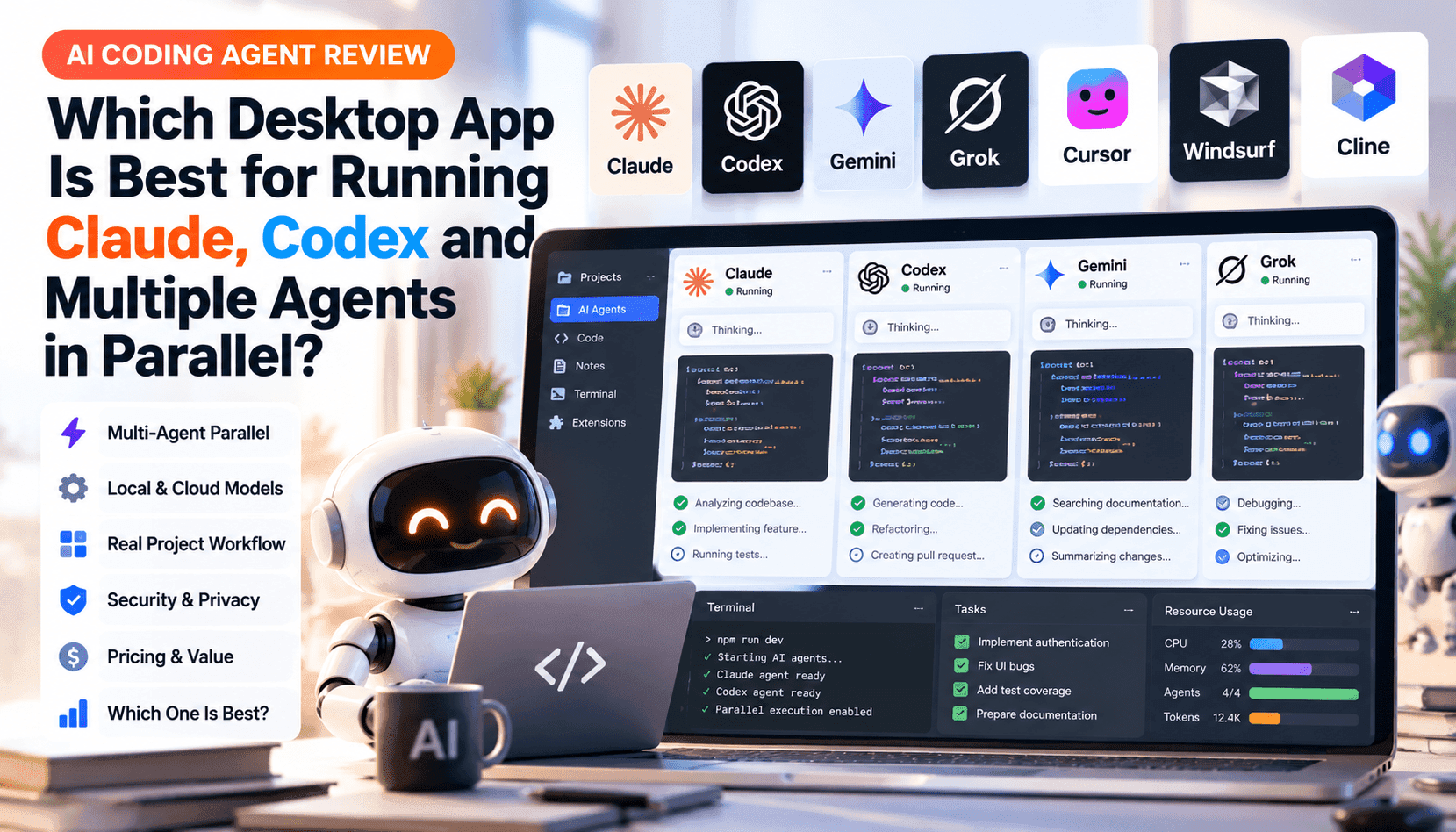
AI Coding Agent Review: Which Desktop App Is Best for Running Claude, Codex and Multiple Agents in Parallel?

A hands-on comparison of desktop tools that run multiple coding agents in parallel. This review evaluates isolation patterns (worktrees, sandboxes, containers), model support (Claude, Codex, Gemini, others), local vs cloud execution, monitoring, pricing and merge workflows to help engineering teams pick the right trade-offs.

NexusAI Research DeskOct 19, 20263.0K views9 min read
AI Coding Agent Review: Which Desktop App Is Best for Running Claude, Codex and Multiple Agents in Parallel?
AI Brief

Running multiple coding agents concurrently can accelerate development—but only when tooling, isolation, and orchestration reduce friction. This piece analyzes the desktop apps that let developers run Claude, Codex, Gemini and other agents in parallel. It compares four isolation models (worktrees, cloud VMs, containers, shared folders), the practical costs and model quotas, monitoring and merge workflows, and gives concrete guidance on when parallelism saves engineering time versus when a single high-quality agent is the better choice.

Parallel AI coding agents are no longer a conceptual experiment: several desktop apps now let teams run multiple agents on the same repository at once. The payoff is straightforward when tasks are orthogonal—one agent scaffolds tests while another fixes a module, or a short-lived assistant triages lint errors while a long-running agent runs integration checks. But the practical cost comes from coordination: merge conflicts, duplicated work, billable model usage and fragile environments. This review looks beyond marketing claims to compare how each app isolates agents, which models they support, where agents execute (local, container, cloud VM or hybrid), and which workflows actually reduce end-to-end time for engineers.

Isolation is the single most important architectural choice. Apps that default to per-session Git worktrees or disposable cloud workspaces give predictable merge boundaries and let agents operate without stepping on each other. Container-based isolation (Docker) protects toolchains and dependencies but still needs a branch-level merge strategy. The worst experience is shared-folder mode: multiple agents can overwrite files, creating silent conflicts and wasted cycles. We evaluate Claude Code, Codex (ChatGPT desktop), Cursor, Antigravity, GitHub Copilot app, JetBrains Air, Devin Desktop and Zed against these patterns and score them on predictability and developer overhead.

Model support and billing shape practical outcomes. Some apps, like Claude Code, tie sessions to vendor quotas and keep execution close to the vendor’s cloud; others let you plug in API keys and pay per token or VM minute. When agents run in the cloud, you buy isolation and reproducibility at the cost of higher quota consumption and longer debug cycles. Local-only agents minimize cloud spend and keep data on-prem, but they force you to manage dependencies and provide fewer scale-up options for heavy parallelism. That trade-off should inform whether to run ten lightweight subagents or one more capable agent with higher reasoning depth.

Finally, orchestration and observability decide whether parallel agents become productivity multipliers or tax sinks. The best tools provide an agent dashboard, per-agent logs, and simple approval or rebase workflows that convert agent outputs into clean PRs. Where those features are missing, teams end up babysitting agents and resolving merge chaos manually. Below we break the analysis into actionable sections covering isolation, execution modes, monitoring and merge workflows, pricing and practical recommendations for specific team profiles.

Key Takeaways

Isolation dictates safety and predictability

Worktree or sandbox isolation prevents silent overwrite conflicts and simplifies merges—prioritize apps that default to per-session worktrees or disposable cloud workspaces.

Match execution to task type

Run quick edits locally, use containers for reproducible dev stacks, and reserve cloud VMs for heavy CI or parallel test runs to balance cost and speed.

Parallel agents are a force-multiplier when scoped

Use multiple agents for orthogonal, bounded tasks and enforce spend caps, approval gates and clear merge workflows to avoid coordination overhead.

How isolation shapes parallel agent workflows

Isolation determines how safely two or more agents can touch the same codebase. Git worktrees effectively give each agent its own branch and working copy: edits happen in isolation, CI runs can be attached to each branch, and merges follow familiar Git practices. Cloud workspaces create remote sandboxes that prevent local side effects but introduce latency and additional quota consumption. Docker containers isolate runtime and dependencies without enforcing branch boundaries, so teams still need a branching policy. Tools that default to the repository root with no worktree or sandbox are fragile and should be avoided for concurrent agents in shared projects.

Model and execution choices: local, container, or cloud

Choosing where agents run affects cost, speed and security. Local agents (including WSL or local containers) minimize cloud spend and keep secrets on your machine, but they shift dependency management to the developer. Cloud execution buys reproducibility and unlimited scale in theory, but it can drive up model usage bills—especially for background or long-running subagents—and complicates access to local resources like hardware or private services. Hybrid setups that let you pick per-session execution (local worktree, container, or remote VM) offer the best pragmatic balance, because they let teams run heavy test suites remotely while keeping quick edits local.

Agent monitoring, task orchestration and merge workflows

Parallelism requires orchestration: dashboards to see active agents, per-agent logs, task queues, and clear merge gates. The apps that excel provide a sidebar or command center listing agent threads, subagent hierarchies, and approval flows that convert agent output into a clean PR or patch. Without these, engineers spend time reconciling partial changes, rerunning tests, and resolving conflicts. Look for features like subagent nesting limits, spend caps for cloud agents, and explicit approval prompts for merges—these reduce surprise costs and help teams scale safely.

Pricing, quotas and when parallel agents actually save time

Cost matters: models, cloud VM minutes, and hosted sandbox time are real line items. Apps that bill at API prices per model require careful spend limits and monitoring; vendor-hosted agents often share plan quotas and can consume team credits quickly. Parallel agents save time when tasks are naturally parallelizable and bounded—writing independent tests, refactoring separate submodules, or generating repetitive documentation. They lose efficiency when agents duplicate effort, generate low-quality patches, or require extensive human reconciliation. For most mid-sized engineering teams, a hybrid approach—one strong agent plus 1–3 specialized subagents with strict worktree isolation—delivers the best ROI.

Tool recommendations by team profile

Choose tools based on team size, security posture and budget. Small teams that want low friction and local control should prefer Cursor or Devin Desktop with worktree defaults. Security-conscious enterprises needing reproducible sandboxes and admin controls will favor GitHub Copilot app or Codex cloud workspaces. JetBrains Air is a fit for IDE-first teams that need container-based isolation and integrated CI, while Claude Code and Zed are attractive when vendor models and deep session persistence are priorities. Regardless of choice, enforce branch discipline, set spend caps, and test the merge path before enabling wide parallelism.

Frequently Asked Questions

When should my team run multiple agents instead of a single more capable agent?

Run multiple agents when tasks can be decomposed into independent units—e.g., test generation, lint fixes, and small refactors—so they won’t touch the same files. Use worktrees or cloud sandboxes to keep outputs separate. If work requires deep, context-rich reasoning across the whole codebase, a single higher-quality agent typically reduces conflict and repeated model billing.

How do I avoid high cloud bills when using parallel cloud agents?

Set spend caps for cloud agent usage, favor local execution for fast edits, and reserve cloud VMs for compute-heavy tasks. Choose tools that let you select cheaper models for background subagents (e.g., linting) and higher-capacity models only for complex planning steps. Monitor per-agent logs and quota consumption centrally.

What merge workflow prevents agents from producing conflicting PRs?

Adopt a policy where each agent writes to a dedicated branch or worktree, runs CI against that branch, and creates a PR only after passing checks. Use rebase-on-merge or automated conflict detection tools, and require human approval for PRs that touch shared modules. Tools that support approval prompts and nested subagent supervision reduce manual reconciliation.

#Developer Agent Workflows#Coding Agent Fleet Management#agent-merge-workflows#Multi-Agent Systems#agent-subagents#Multi-Model Agents#Multi-Model Orchestration#Model-Agnostic Agents#Cloud Computer Agents#local-first-analysis#agent-monitoring#Cost-Per-Task Optimization#API Token Pricing#Agent Orchestration#worktree-isolation#parallel-agents-costing#sandboxed-development#Agent Observability

AI Insight Newsletter

Get the latest AI updates, tool news, and insights delivered to your inbox.

No spam. Unsubscribe anytime.
On This Page
1.How isolation shapes parallel agent workflows2.Model and execution choices: local, container, or cloud3.Agent monitoring, task orchestration and merge workflows4.Pricing, quotas and when parallel agents actually save time5.Tool recommendations by team profile
Share this article

Related Articles

Lovable Adds AI Ad Creation and One-Click Launch to Google, YouTube, Facebook and Instagram
AI Product News

Lovable Adds AI Ad Creation and One-Click Launch to Google, YouTube, Facebook and Instagram

Oct 15, 2026

Microsoft-Decision-1: A Fast Decision Model for Routing, Classification and Agent Workflows
AI Model & Platform Updates

Microsoft-Decision-1: A Fast Decision Model for Routing, Classification and Agent Workflows

Oct 11, 2026

Best AI Automation Tools for Business in 2026: From Simple Workflows to Autonomous Agents
AI Tool Comparisons

Best AI Automation Tools for Business in 2026: From Simple Workflows to Autonomous Agents

Oct 1, 2026

What Makes an AI Model Good? Context Window, Reasoning, Multimodality, Speed, and Cost
AI Workflow Guides

What Makes an AI Model Good? Context Window, Reasoning, Multimodality, Speed, and Cost

Sep 25, 2026

AI Search Showdown: ChatGPT, Perplexity, Gemini, Copilot, and Google Search — What Each Actually Does Best
Best AI Tools & Rankings

AI Search Showdown: ChatGPT, Perplexity, Gemini, Copilot, and Google Search — What Each Actually Does Best

Sep 15, 2026

Related AI Tools

View All
Claude: AI Assistant for Writing, Research & Workflow Automation

Claude: AI Assistant for Writing, Research & Workflow Automation

Writing & Text AI

OpenAI Codex: AI Code Agent for Developers & Teams

OpenAI Codex: AI Code Agent for Developers & Teams

Developer & Coding AI

Cursor: The AI Companion for Developers and Autonomous Agent Workflows

Cursor: The AI Companion for Developers and Autonomous Agent Workflows

Developer & Coding AI

Windsurf: Agentic AI Coding IDE with Cascade for Developers

Windsurf: Agentic AI Coding IDE with Cascade for Developers

Developer & Coding AI

Cline: Open-Source Plan-and-Act Coding Agent for IDE, CLI and SDK

Cline: Open-Source Plan-and-Act Coding Agent for IDE, CLI and SDK

Developer & Coding AI